
Event Description
The engine revolution is below its lower limit.
Error view
Languages: German | English | Chinese | Spanish | French | Symbolic
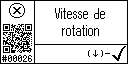
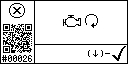
Elements of the Event page

| Event symbol | Consequences of the event |
 Error event Error event | When an error event occurs, the monitored quantity has reached its error Limit. Error events shutdown the generator |
 Warning event Warning event | When a warning event occurs, the monitored quantity has reached its warning limit. Warning Events don’t shutdown the generator |
 Information event Information event | An Information event is for information purpose only and has no effect on the generator operation |
| Device that triggers this event: | Generator control |
| Warning | No |
| Error | Yes |
Safety instructions
These symbols are used to warn of the possibility of personal injury of lethal danger during certain maintenance work or operations. See Users Manual for Safety Information and complete operating information. Read these instructions carefully. For further information click on the corresponding symbol. Each link opens a new tab.


Causes and solutions
This error can have multiple possible causes. If it occurs after the starting phase has already been completed or during normal generator operation, the most common causes are problems with the fuel.
NOTE: iControl2 (dependent on software release, see info box below) and iControl2.5 generate the event code 28 in this case.
| Common causes | Possible solutions |
| The fuel tank is empty | Check the fuel level and if necessary top up the tank with fuel |
| The fuel filter is dirty or blocked | Check the fuel filter and clean it. Replace the defective filter if necessary |
| The fuel pump is blocked or defective | Check the fuel pump and replace the defective part if necessary |
| The fuel pump does not deliver fuel since there is a problem with its electrical connection | Check the wiring of the fuel pump and the fuel solenoid valve |
| The fuel hose is bent, so that not enough fuel can be provided | Check the fuel hoses and remove existing bends |
| Air in the fuel system | Bleed the fuel system |
| The fuel solenoid valve is defective | Check the wiring of the fuel solenoid valve |
| The generator is overloaded. This is the case when connected loads require more than the maximum power of the generator | Reduce the load to ist nominal generator value. Follow the nominal power rating on the rating plate |
If the error occurs immediately after the start-up phase, it may be that the start-up speed has not been reached because of a problem with the starter or with the servo motor
NOTE: iControl2 (dependent on software release, see info box below) and iControl2.5 generate the event code 26 in this case.
| Common causes | Possible solutions |
| The starter is disconnected | Check the wiring of the starter |
| The starter is defective | Check the starter and replace the defective part if necessary |
| The servo motor is defective | Check the servo motor and its wiring |
 INFO BOX: iControl2 and iControl2.5 differentiate between two cases of low engine revolution and use different event codes for these cases. For all software releases two different, iControl-specific codes are displayed on the iControl2 panel (see table in iControl2 – Error Codes). On the fpCAN bus using the »fpControl CAN Interface – SAE J1939«, the event codes depend on the iControl2 software release: Up to release PiC2_2.34: Event 26 – Starting failed/Engine revolution (RPM) low – This event occurs, if the generator does not start at all or if the RPM is not recognized. Event 28 – unexpected stop/problem with fuel supply – This event occurs, if the engine initially started, but then the speed drops again (e.g. air bubble in the fuel system). From PiC2_2.35, iControl2 takes over all Fischer Panda J1939 event codes from fpControl. The differentiation is no longer possible: Error 26 – Starting failed/Engine revolution (RPM) low AND unexpected stop/problem with fuel supply But there are still displayed the two different iControl-specific event codes on the iControl2 panel. |
INFO BOX iControl2.5: There is a known issue with error 28 occurring on new installed generators with iControl2.5. In this case update the software of the control board to the latest release to solve this problem. |
Engine revolution error on iControl3
| Common causes | Possible solutions |
| The communication between the inverter and the generator control is interrupted | Check the inverter communication cable and reconnect or replace it, if necessary |
| Load cable is not connected | Check whether the load cable is connected and connect it, if necessary |
| Problem with the FMU…Frequency Measuring Unit: In iControl systems with iControl3 control, the frequency is measured inside the PMGi inverter using this additional measuring board. For example, the measuring voltage inside the inverter is no longer present | The inverter must be checked by the Fischer Panda technician |
Distributors and Services
For any service or maintenance questions, please contact Fischer Panda or our worldwide partners.