
Introduction to the topic
With the adapter, you can establish a connection between the 9 pin D-SUB socket of a CAN‑USB adapter and an RJ45 plug of the Fischer Panda CAN bus. You need the adapter to connect the Fischer Panda CAN bus to a PC using a CAN-USB adapter.

| NOTICE |
| Communication failures due to missing bus termination. If the CAN bus is not terminated, it may cause failures in the bus communication. ► When connecting the Fischer Panda CAN network to the CAN-USB adapter, always use the T-Adapter with connected bus termination. |
Pin configuration
| D-SUB 9 Pin Female | Adapter | Socket RJ45 |
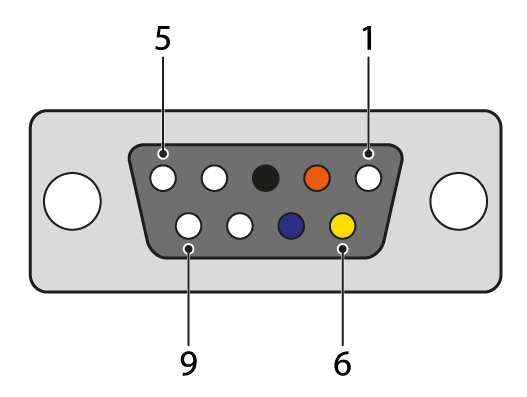 | 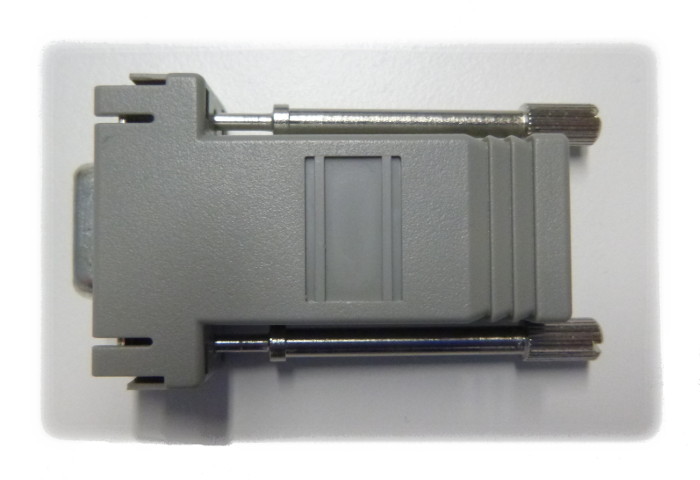 | 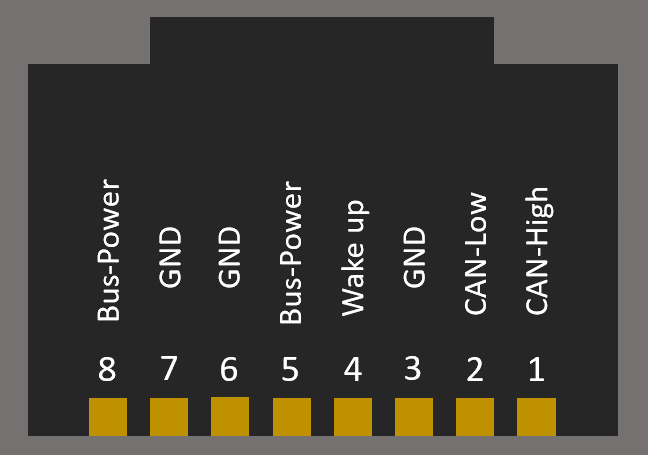 |
| Pin 1 | not used | |
| Pin 2 | CAN low, orange | Pin 2 |
| Pin 3 | GND, black | Pin 3 |
| Pin 4 | not used | |
| Pin 5 | not used | |
| Pin 6 | GND, yellow | Pin 6 |
| Pin 7 | CAN high, blue | Pin 1 |
| Pin 8 | not used | |
| Pin 9 | not used |
Download a PDF on this topic here.