In April 2024, Raymarine released the updated version 4.6.103 of their Lighthouse software, which enables generator start/stop via NMEA 2000® from their Axiom MFDs. The update file for the current software release including the generator start/stop feature can be downloaded from the Raymarine website: https://www.raymarine.com/de-de/download/lighthouse-4-update-for-axiom-chartplotters.
Tip: Choose the Axiom update only version with no other product updates included as it has only 1,3 GB.
 |
| NOTE: For starting and stopping the generator via the Raymarine MFDs, the »Communication Interface CI – NMEA 2000« requires software release 2V11 or higher. |
Displaying the generator status in the generator page of the Axiom panel
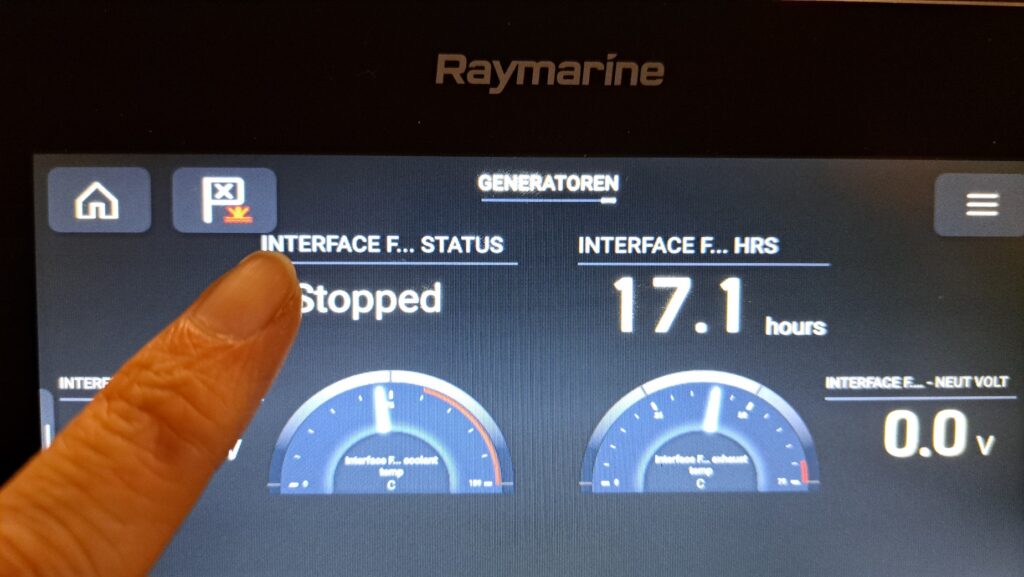
The »Generators« page displays the data received from the generator. To start the generator via the Axiom panel, the Generator status must first be set to one of the display fields on the generator page.
- Long-tapping a display field activates a pop-up menu.
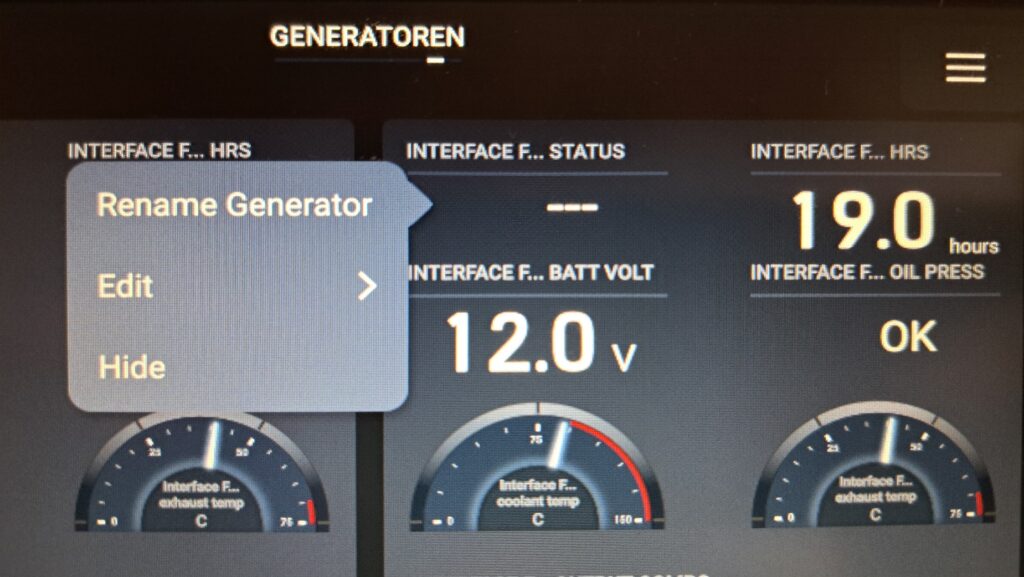
- Short-tapping the »Edit« entry opens a list of data sources.
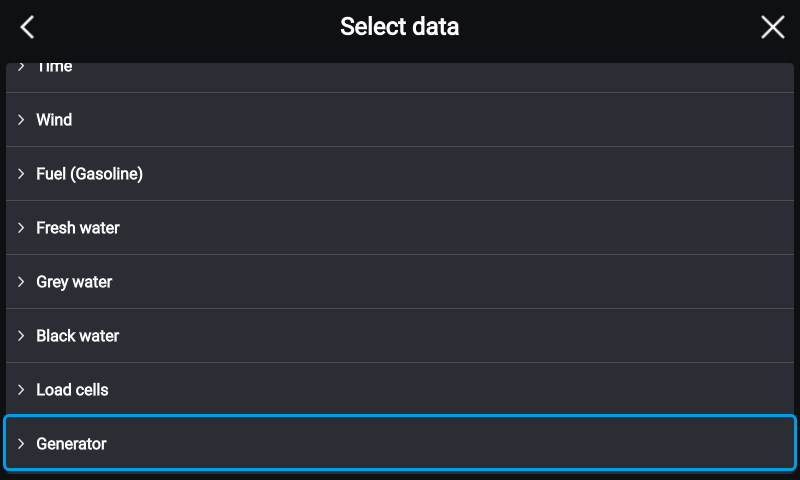
- In the list of data sources, the item »Generator« must be selected:
- A list of all generator data that can be displayed with the selected display element appears. Select the item »Generator status« here:
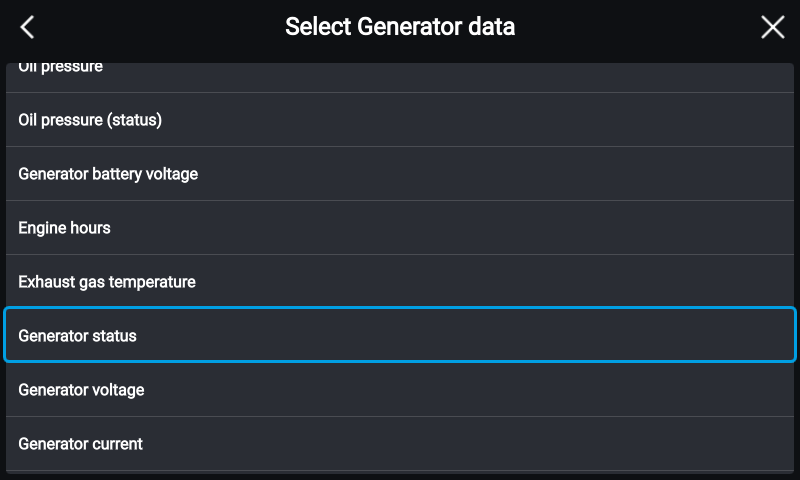
- The generator status is now displayed in the selected display element.
- This element can now be used to start and stop the generator.
Starting and stopping the generator
|
| NOTE: To start and stop from the Raymarine panel, the automatic start function must be activated on the Fischer Panda Control Panel. |
- Provided the automatic start function is activated on the Fischer Panda Control Panel, a pop-up button »Start« can be activated by short-tapping the generator status display field.
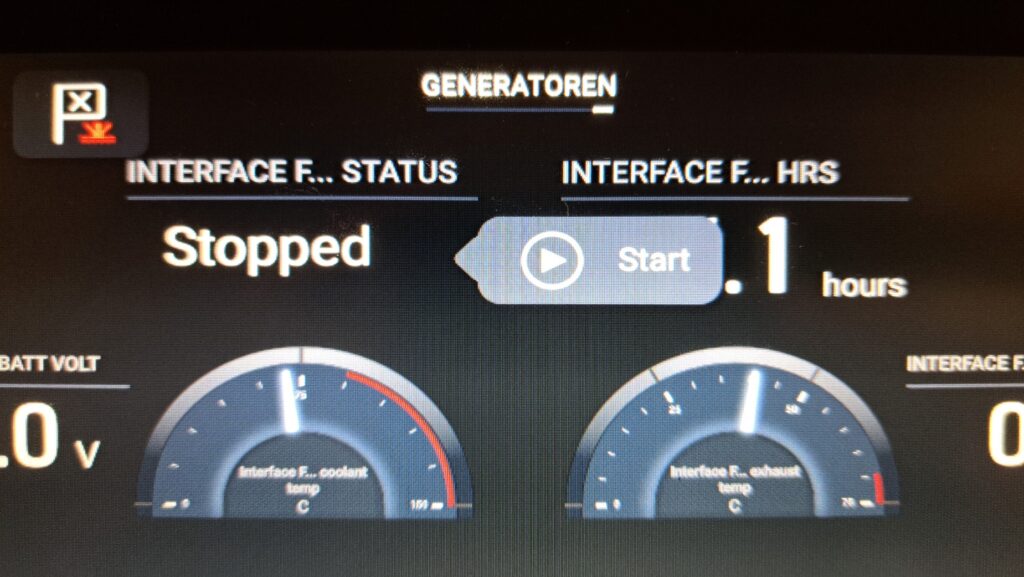
- The generator can now be started using the »Start« pop-up button.
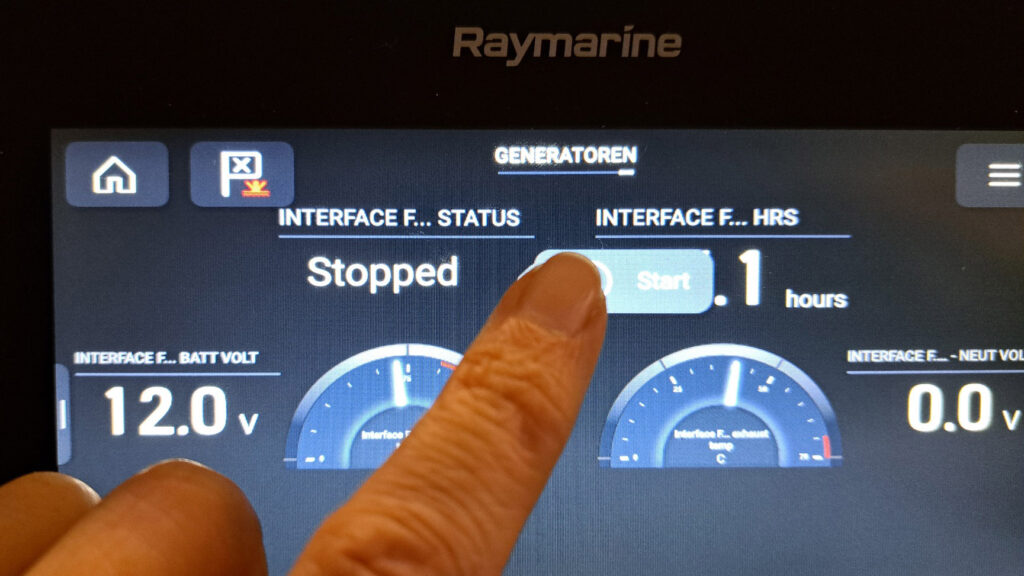
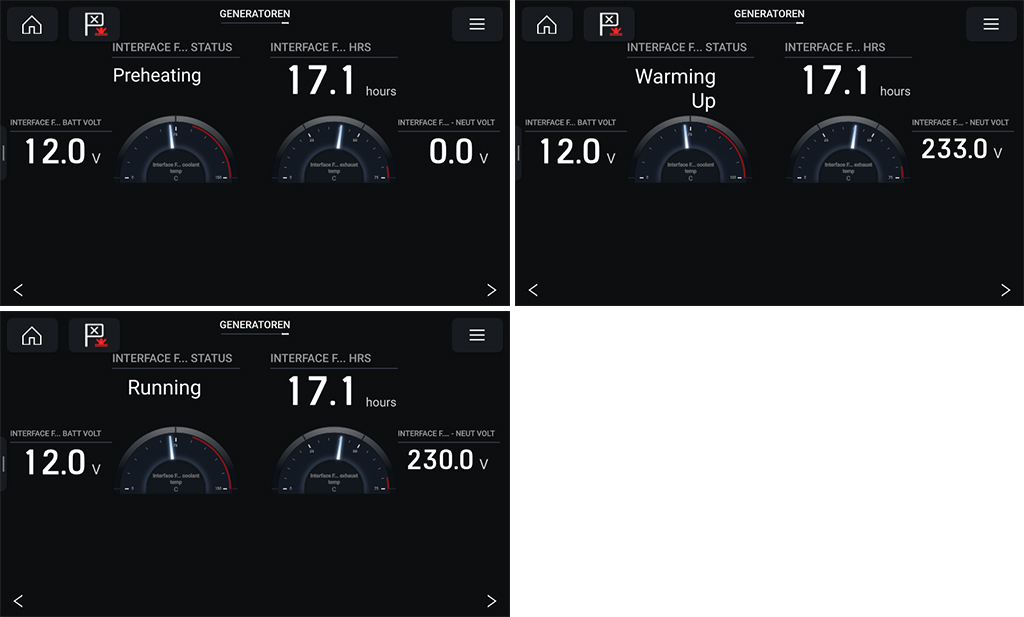
- The startup process can be monitored in the status field of the Axiom MFD: