
Introduction to the topic
You can adjust the minimum and maximum position of the servo motor on Fischer Panda generators with xControl generator control and Kubota V1505 motor. This is necessary, for example, when starting up for the first time and after changing a defective servo motor or a defective xControl generator control.
Setting the minimum position
- Switch off the generator control.
- Mount the servo throttle lever on the servo motor so that the lever is horizontal (Fig. 1).
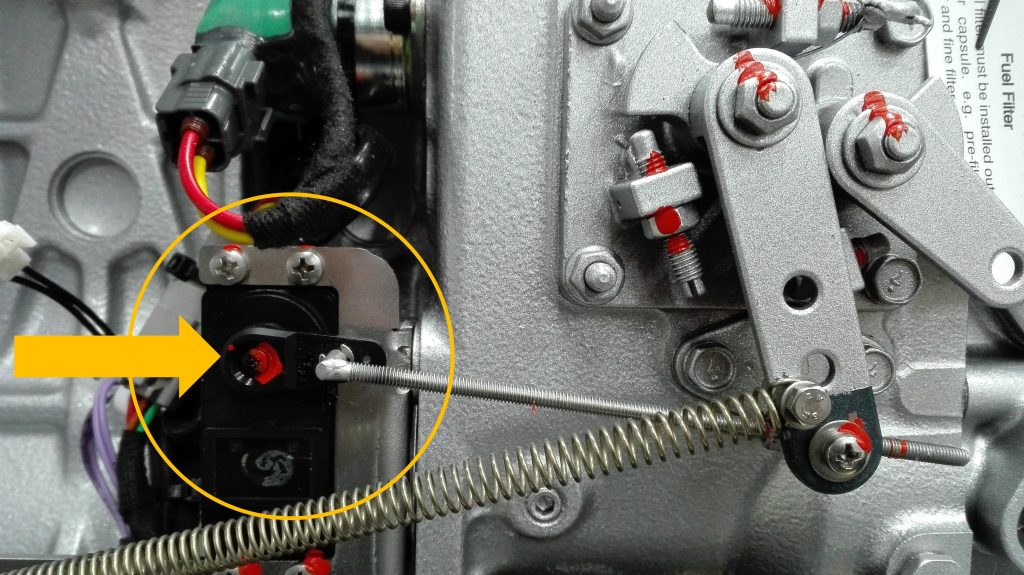
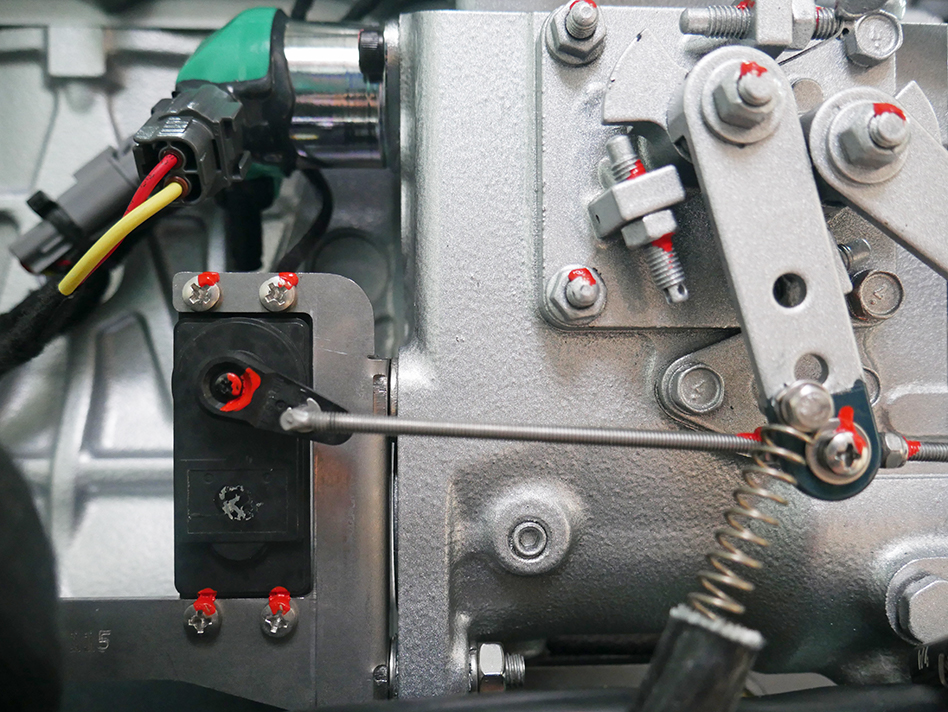
- Switch on the generator control. The servo throttle lever should now be in the approximately 4 o’clock position (Fig. 2).
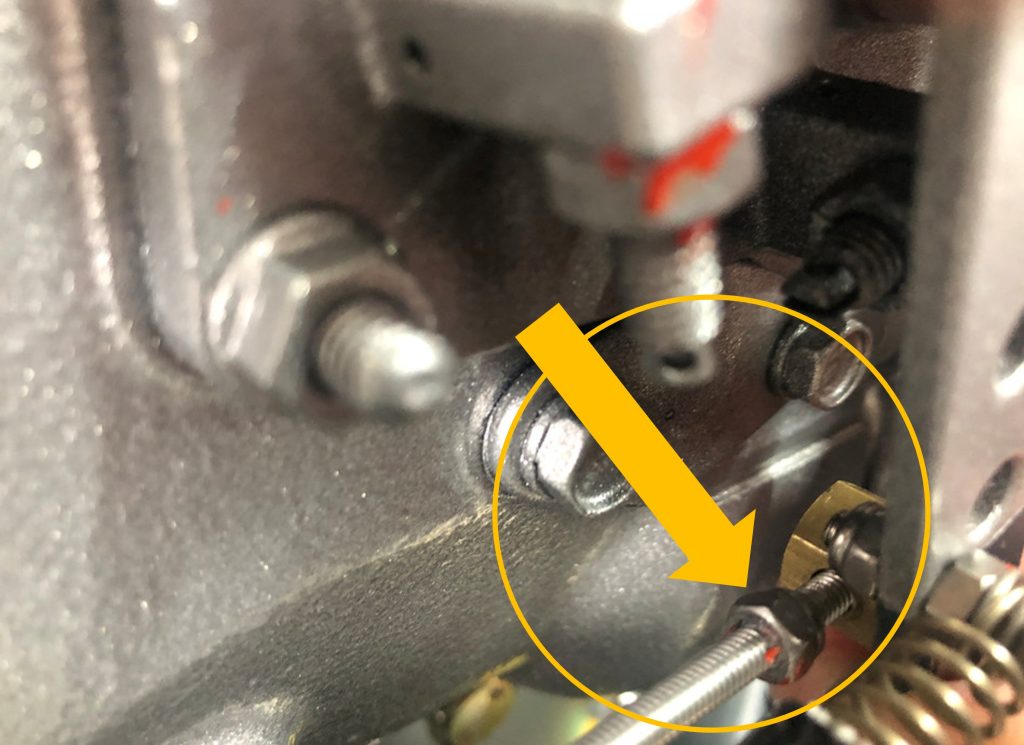
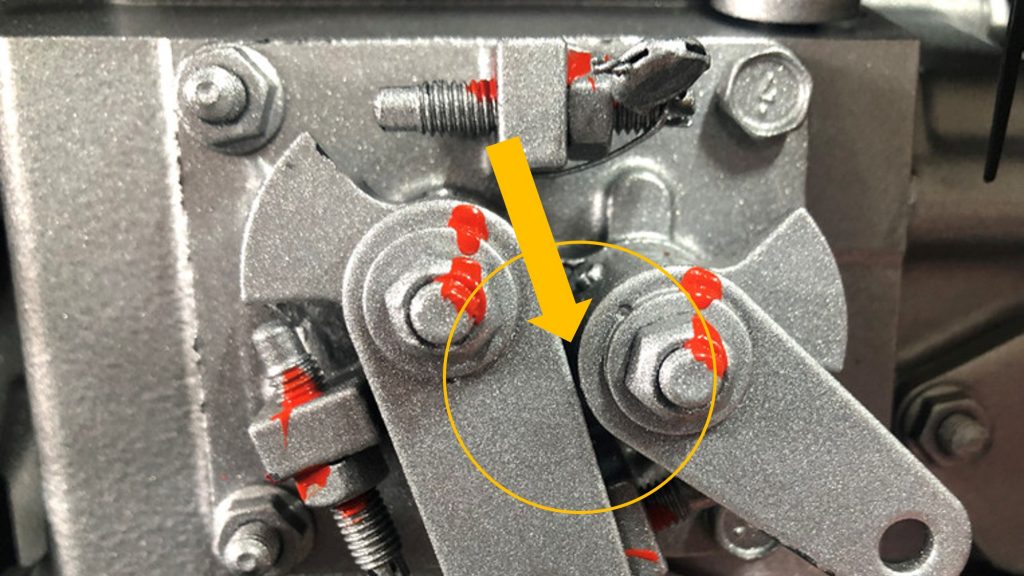
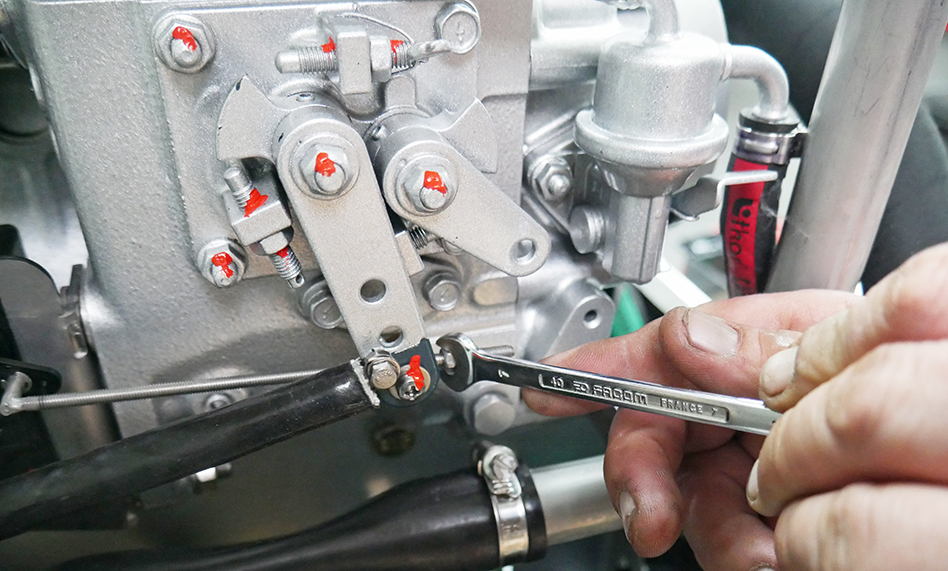
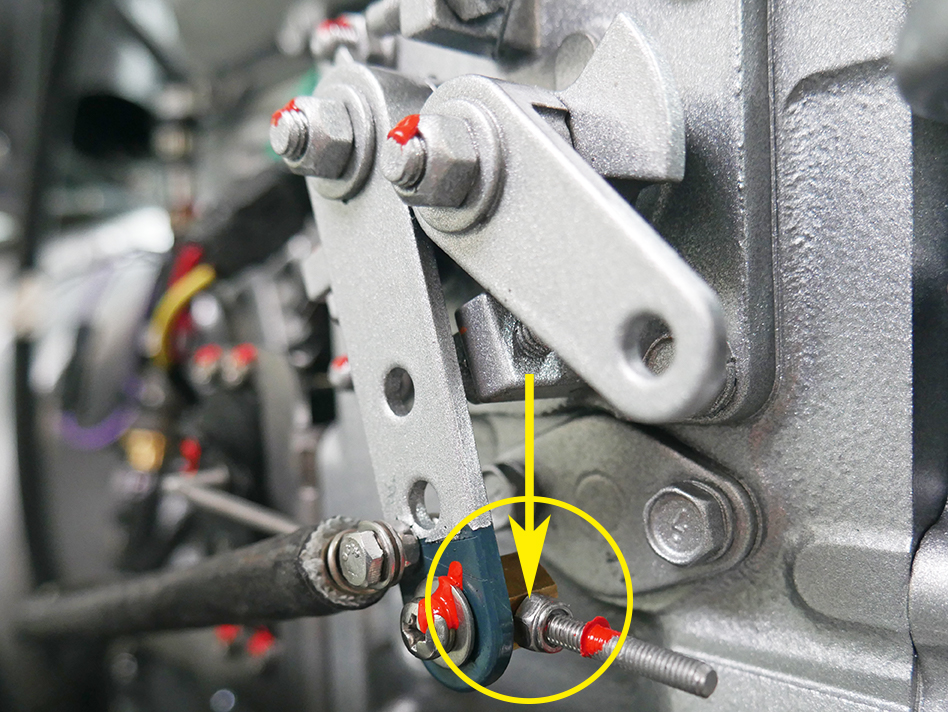
- Adjust the position of the engine throttle lever with the left nut (Fig. 3) so that there remains an air gap between the engine throttle lever and the stop lever (Fig. 4).
- Turn the right nut to the left as far as possible (Fig. 5) so that the engine throttle lever has no more clearance (Fig. 6).
Setting the maximum position
Calibration of the servo motor using the »ACTUATOR-WIZARD«
- Switch on the xControl panel.
- Call up the service menu.
- Enter the service password.
- Select »actuator wizard« in the service menu.
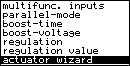
- Run the »actuator wizard« to calibrate the servo motor. To do this, confirm the message »Drive actuator to position 0 now?« with the arrow-down key.
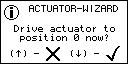
- Start the generator using the start/stop key.
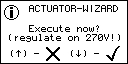
- Confirm the message »Execute now? (regulate on 270V!)« with the arrow-down key.
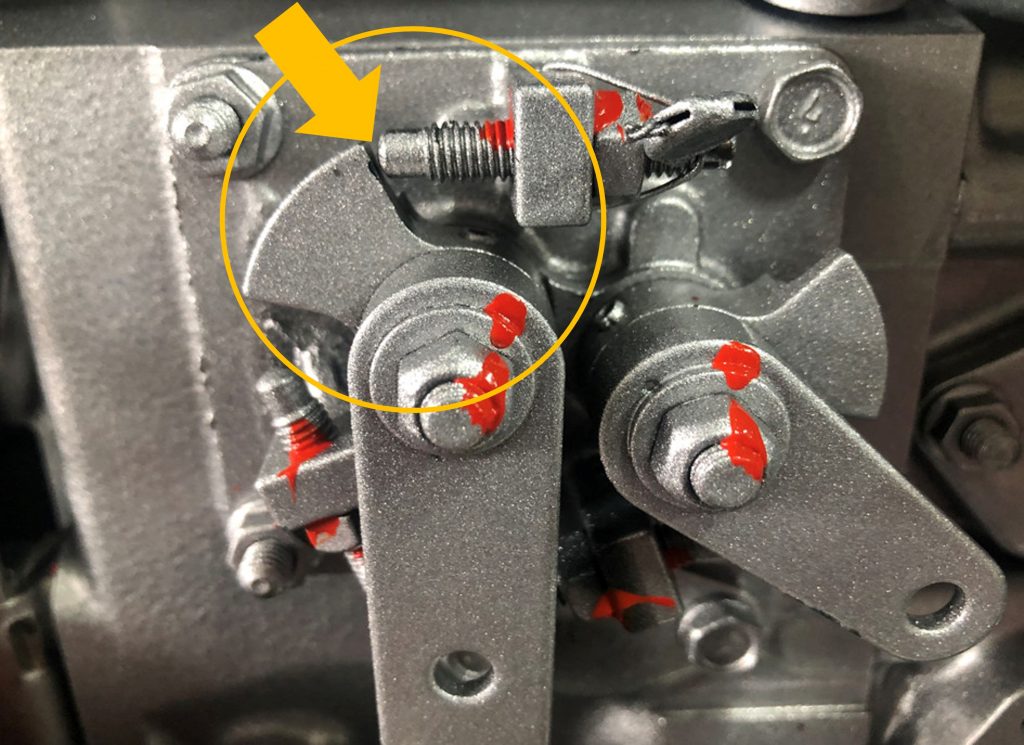
- After running the wizard, verify that in the full throttle position there is only an air gap between the engine throttle lever and the limit screw (Fig. 7).
 WARNING WARNING |
| Electrical voltage. Danger to life. ► Voltage measurement must only be carried out by qualified personnel. |
- Measure the output voltage. The voltage must be 270 V.
 Note: If the output voltage after calibrating the servo motor with the »Actuator wizard« is less than 270 V, the »Actuator setup« must be used to set the maximum position. |
Adjusting the default values for the servo positions in the »actuator-setup«
- Switch on the xControl panel.
- Call up the service menu.
- Enter the service password.
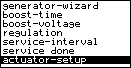
- Select »actuator setup« in the service menu.
- Set the value for the »maximum position« so that there is only an air gap between the engine throttle lever and the limit screw (compare with Fig. 7). Confirm with OK.
Note: It is not the numerical value that is decisive here, but the position of the engine throttle lever in relation to the limit screw. |
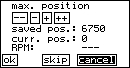
- Do not change the default value for the »minimum position«. Confirm the value with OK.
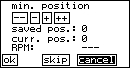
- Save settings and confirm with OK.

Appendix
Controls
| Softkey | Function |
| — | Decreases the current position “curr. pos.” by 500. |
| – | Decreases the current position “curr. pos.” by 50. |
| + | Increases the current position “curr. pos.” by 50. |
| ++ | Increases the current position “curr. pos.” by 500. |
| ok | Confirm the current value of “curr. pos.” and skip to the next page of the actuator setup. A changed value will be saved in the EEPROM in the step “Save settings?”. |
| skip | Skip to the next page of the actuator setup, changed values are NOT stored in the EEPROM. |
| cancel | Leave actuator setup, changed values are NOT stored in the EEPROM. |
| Hardkey | Function |
 | Use the panel’s arrow-up key to move up through the softkeys on one side and to increase parameter values. A long press on the key activates the rapid increase of the parameter value. |
 | Use the arrow-down key to move down through the softkeys on one side and to decrease parameter values. A long press on the key activates the rapid decrease of the parameter value. |
 | Use the start/stop key to execute the action of a selected softkey and to confirm parameter values. |
Servo Parameters
| min. position | Position of the servomotor at idle. |
| max. position | Position of the servomotor at full load. |
| save settings? | Saves the adjusted positions of the four previous pages in the EEPROM. |
| saved pos. | Position value stored in EEPROM. |
| curr. pos. | Current value of the position, you can adjust this value live using the (+/-) softkeys. |
| RPM | Current revolution speed of the diesel engine in [RPM]. If you adjust the position of the servo motor while the generator is running, you can directly observe the effect on the revolution speed. |