
Supply of the Hybrid-Charger Power Electronic
The VS-Generator system includes a power electronic component for energy conversion from three phase AC to DC. This power converter is the »Hybrid-Charger«.
The power supply lines of the Hybrid-Charger are connected to the terminal block, boost relay / DC-PMGI plus and minus on the »fpControl Connection Board – Generator« (fpControl CB-G).
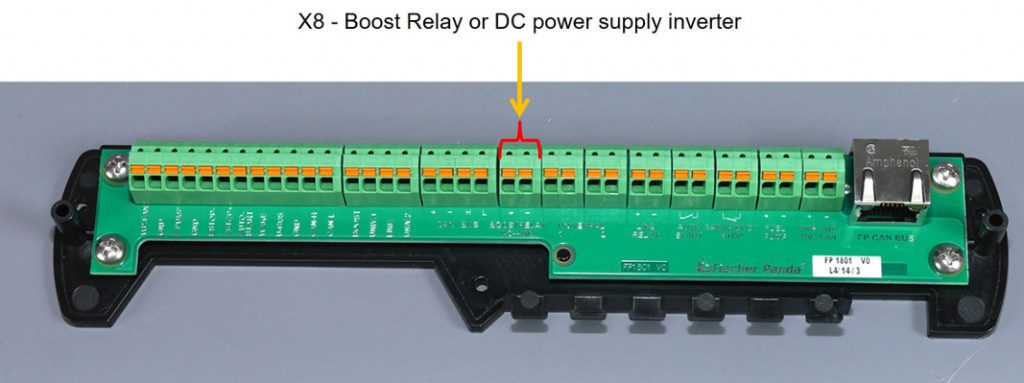
The supply voltage on the terminal block output will be controlled by the Generator Control »fpControl Generator Control – Servo« (fpControl GC-S). The Generator Control controls the supply of the Hybrid-Charger in most efficient way.
 If there is an error message or an emergency stop signal, the hybrid charger is always switched off. This is independent of the menu setting. |
Automatic supply
In normal operation the fpControl switches on the Hybrid-Charger for 30 seconds after system start. In this time a system check and a check for updates are performed.
If the generator system remains in standby mode and the motor does not start, the Generator Control switches off the Hybrid-Charger supply after 30 seconds. At a motor start command the Hybrid-Charger will be switched on immediately.
Switching on supply manually
In some cases, for example, service or configuration of the converter, the Hybrid-Charger should be on continuously. In this case the supply can be switched on manually by the
»fpControl Control Panel – Generator« (fpControl CP-G). The Hybrid Charger supply remains in on mode until the next system start. After a restart of the Generator Control the FP-Control takes over the control of the power supply again.
The following converter menu is only displayed if a VS-Generator type is selected (Generator type codes 3000 – 3999).
Function call
Panel menu: converter > power supply > turn on / off.
Step by step guide
- Open menu item »converter«.
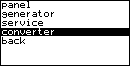
- Select »power supply«.
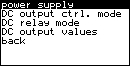
- Select »on« to switch on / »off« to switch off the power supply and confirm.

- Select »confirm«.

- Result: The power supply is switched on manually.